
01 / October / 2025 Update
We've received an increased amounts of reports concerning this specific pop-up notification. Please send a report to clash_support@triband.net so we can keep track of cases, and so we can ask follow up questions to resolve the issue.
The Issue
You try to press Play and then this notification pops up:
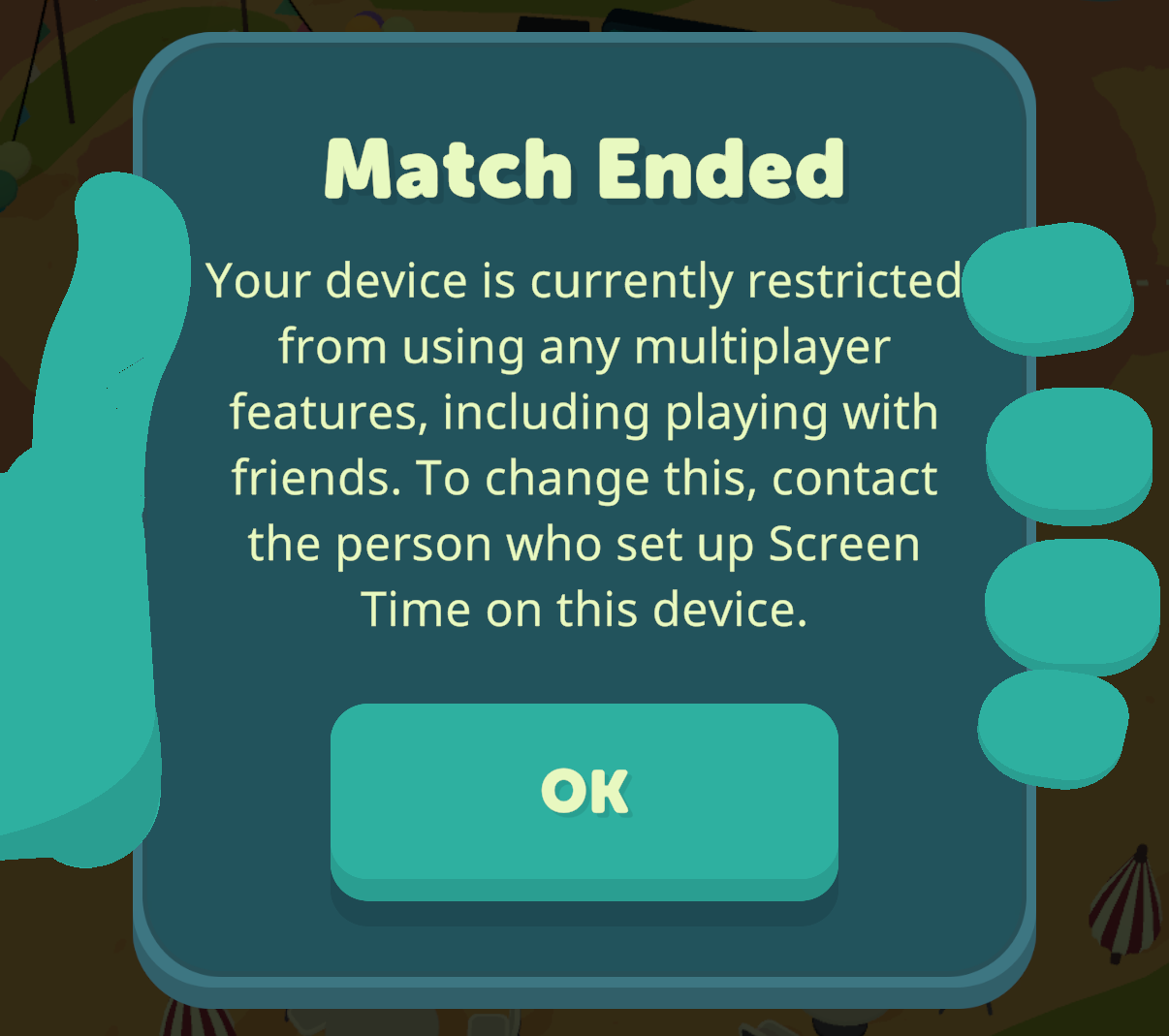
You are thrown off the match
You cannot play
Troubleshooting Steps
Try to force close and re-open the app
Try to un- and re-install the game
Turn your device offline your WIFI / Airplane Mode and see if you can play a match
If these steps don't work, please check the following:
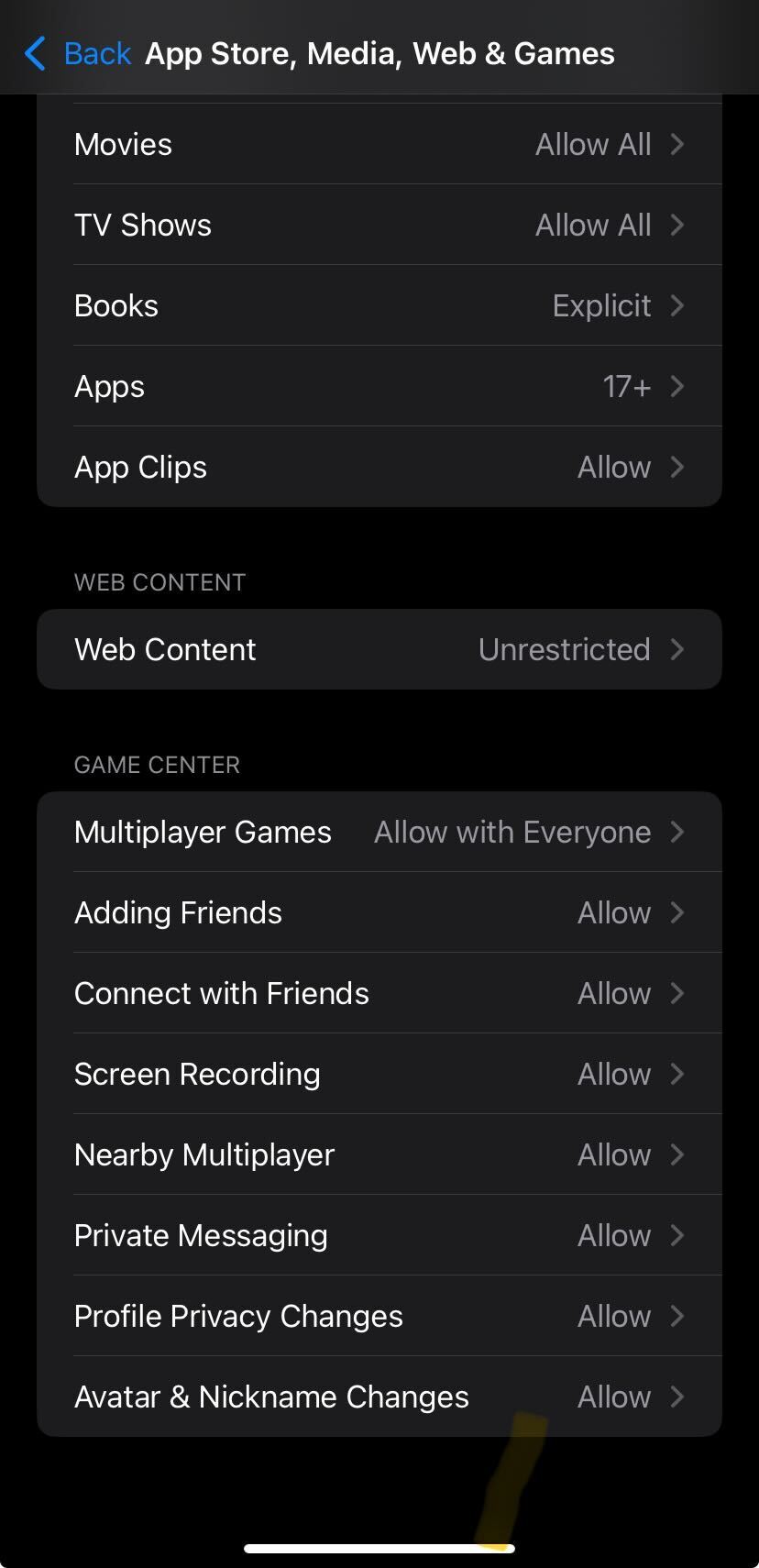
Check your GAME CENTER settings within the 'App Store, Media, Web & Games' page
Settings > Screen Time > Content & Privacy Restrictions > App Store, Media, Web & Games
Make sure Multiplayer Games is 'Allow with Everyone' as well as the allowances beneath
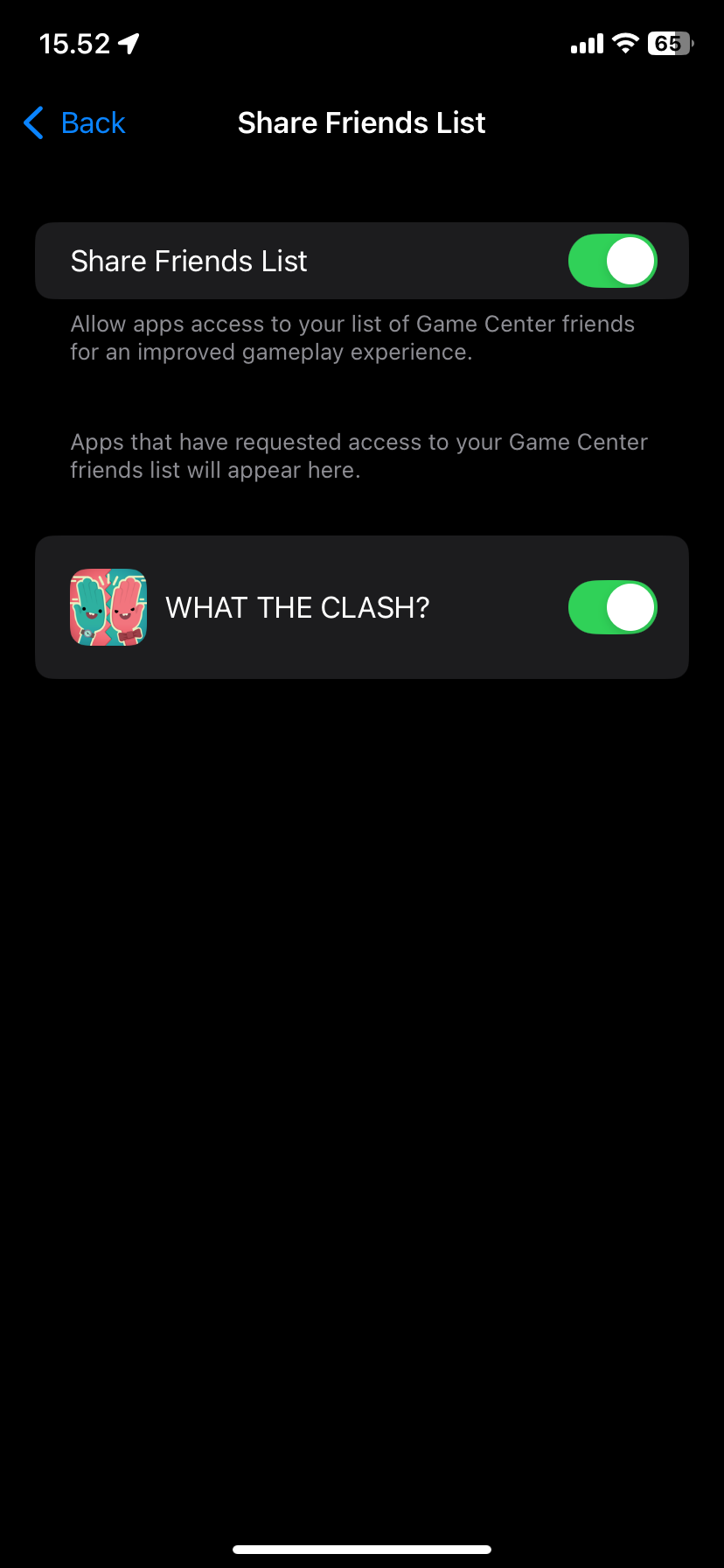
Check your Game Center 'Share Friends List'
Settings > Game Center > Share Friends List
Check that 'Share Friends List' is toggled on Green/Allow
If these settings are ON and you still have the restriction pop-up, please write us on clash_support@triband.net and answer the following: When does the 'Screen Time' error popup appear, when you press...
PLAY?
CHALLENGE FRIENDS?
JOIN > Join (after entering code)?
Invite (from list of friends and recently played players)